
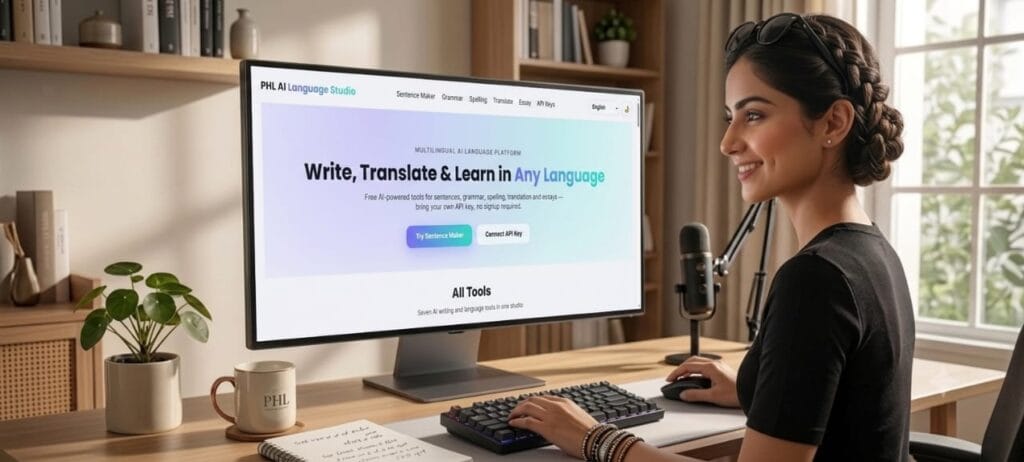
PHL AI Language Studio — Complete Guide to Free AI Writing & Translation Tools
پی ایچ ایل اے آئی لینگویج اسٹوڈیو — مفت اے آئی رائٹنگ اور ٹرانسلیشن ٹولز کی مکمل گائیڈ
A complete, easy-to-follow guide to every tool inside PHL AI Language Studio — sentence generation, grammar correction, spelling checks, long-form translation, essay writing and multi-language translation, plus a beginner-friendly walkthrough of the BYOK system and how to get your own free API key.
On this page
اس صفحے میں
01.What is PHL AI Language Studio?
پی ایچ ایل اے آئی لینگویج اسٹوڈیو کیا ہے؟
PHL AI Language Studio is a free, browser-based AI writing and language platform built by PHL EDU WITH AI. It brings together six practical AI tools — sentence generation, grammar correction, spelling checking, long document translation, essay writing, and full text translation — into a single, easy-to-use website that works in 21 languages, including English, Urdu, Hindi, Arabic, Chinese, Spanish, French, and more.
The platform runs entirely in your browser using a BYOK (Bring Your Own Key) model, which means you connect your own free AI API key instead of paying a subscription. There is no signup, no login, and no hidden cost — your key stays saved only on your own device.
02.The BYOK System — Explained Simply
02.BYOK سسٹم — آسان الفاظ میں
BYOK stands for “Bring Your Own Key.” Instead of PHL EDU charging you a monthly fee, you get a free API key directly from an AI company (like Google or Groq) and paste that key into the tool’s settings. The tool then uses your key to talk to the AI on your behalf.
Think of it like a SIM card: PHL AI Language Studio is the phone, and your API key is the SIM card that gives it a connection. Different companies (providers) offer different SIM cards — some are completely free, some are paid.
- You stay in control — the key lives only in your browser’s local storage, never on our servers.
- You choose the provider — pick any free provider to start, or use a paid one for higher quality.
- No subscription — you only pay the AI provider directly, and only if you exceed their free limits.
03.How to Get a Free API Key (All 7 Providers)
03.مفت اے آئی کی کیسے بنائیں (تمام 7 پرووائیڈرز)
Tap “Get Key” below to open the provider’s official key page in a new tab, sign in with your email or Google account, and copy the key it gives you. Paste it into the “API Keys” section of PHL AI Language Studio.
💡 Tip for beginners: start with Google Gemini or Groq — both offer genuinely free access with no card required.
AI Sentence Maker
اے آئی سینٹنس میکر
Type any single word, phrase, or topic, and the tool generates 5–7 natural example sentences using it — complete with translation into your chosen language, difficulty level, grammar notes, meaning, part of speech, synonyms, and a speaking tip. Perfect for students building vocabulary or anyone learning a new language.
- Go to the Sentence Maker tab.
- Type a word or topic — in any language.
- Choose which language you want the translation in.
- Tap Generate Sentences.
- Copy, share, or download any sentence card as an image.
Smart Grammar Corrector
اسمارٹ گرامر کریکٹر
Paste any broken sentence — wrong grammar, wrong tenses, or typos — and get an instant correction, plus multiple rewritten versions: improved, professional, formal, friendly, and native-sounding English, along with an explanation of what was wrong and a translation into your chosen language.
- Go to the Grammar tab.
- Paste the sentence you want fixed.
- Pick a language for the translation.
- Tap Correct Grammar and review every version.
AI Spelling Checker
اے آئی سپیلنگ چیکر
Type any word — correct or misspelled, in English, Urdu, or any supported language — and get the correct spelling, pronunciation, IPA, part of speech, meaning (in English and your chosen language), synonyms, antonyms, and two example sentences. A built-in speaker button reads the word aloud.
- Go to the Spelling tab.
- Type the word you want to check.
- Choose the language for the meaning.
- Tap Check Word, then tap 🔊 to hear it.
Long-Form Writer & Translator
لانگ فارم رائٹر اور مترجم
Paste an entire essay, article, story, or document — up to thousands of words — and translate it between any two of the 21 supported languages. Long text is automatically split into chunks, translated piece by piece, and merged back together, while headings, lists, tables, and quotes are preserved.
- Go to the Translate tab (Long-Form Writer section).
- Set the From language (or leave it on Auto-detect) and the To language.
- Paste your document text.
- Tap Translate Document and download the result as TXT or HTML.
AI Essay Writer
اے آئی ایسے رائٹر
Give it a topic, title, or outline and choose the type of writing — school essay, academic paper, business writing, blog/SEO article, research paper, formal letter, job application, story, or report — along with tone, length, reading level, and language. It writes a complete, properly structured piece with an introduction, body, and conclusion.
- Go to the Essay tab.
- Type your topic or outline.
- Select type, tone, length, reading level, and language.
- Tap Generate Essay and download or copy the result.
AI Translation Studio
اے آئی ٹرانسلیشن اسٹوڈیو
A quick, direct translator for short text — type or paste anything and instantly translate it between any two of the 21 supported languages. Includes a one-tap swap button and a speaker button to hear the translated text read aloud.
- Go to the Translate tab.
- Set the From and To languages (use ⇄ to swap them).
- Type or paste your text.
- Tap Translate, then copy or listen to the result.
Ready to try it?
All seven tools are completely free — you only need a free API key.
Open PHL AI Language Studio →04.Frequently Asked Questions
04.اکثر پوچھے گئے سوالات
Is PHL AI Language Studio really free?
Yes. The tool itself is 100% free. You only need a free API key from a provider like Google Gemini or Groq — no payment to PHL EDU is ever required.
Is my API key safe?
Your key is stored only in your own browser’s local storage. It is never sent to or stored on PHL EDU’s servers.
Which provider should a beginner choose?
Google Gemini or Groq — both are genuinely free and don’t require a credit card to get started.
Can I use Urdu and English together?
Yes. Every tool auto-detects the input language and can translate into any of the 21 supported languages, including Urdu.
Does it work on mobile?
Yes, the entire studio is fully mobile-responsive and works in any modern phone browser.
05.Share This Guide
05.یہ گائیڈ شیئر کریں
🌐 PHL EDU Tools Ecosystem
Explore more powerful digital tools from our network. Custom links and code configurations will be plugged directly into these colorful modules below.
🌐 پی ایچ ایل ایڈو ٹولز ایکو سسٹم
ہمارے نیٹ ورک کے دیگر کارآمد اور ڈیجیٹل ٹولز تلاش کریں۔ لنکس حاصل ہونے پر کوڈز براہ راست نیچے دیے گئے بلاکس میں شامل کر دیے جائیں گے۔

Very useful tool. Simpl & easy i like it.