Complete SEO Course — بیگنر سے ایڈوانس تک مکمل پروفیشنل گائیڈ (حصہ اول)
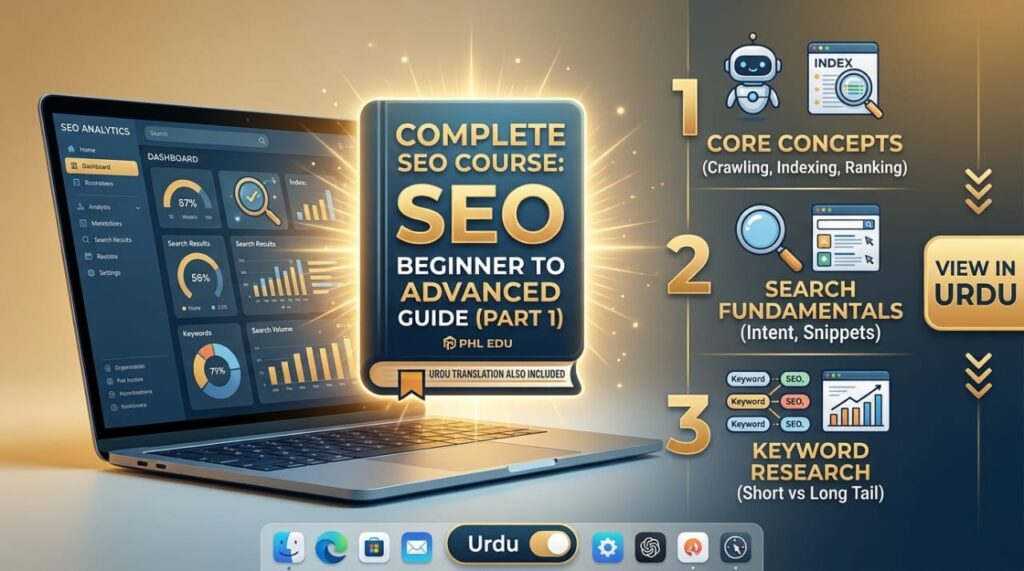
Complete SEO Course: Beginner to Advanced Guide (Part 1)
Below is a complete professional SEO course outline, module by module, usable from beginner all the way to advanced level. Every term inside each module is briefly explained so nothing feels confusing. This is Part 1 — Modules 1 through 11. Part 2 covers Modules 12 through 22 plus the Final Capstone Project.
📘 Module 1 — Introduction to SEO
This is the foundation of the course: what SEO is, how search engines work, and what career opportunities exist in the field.
| Term | Explanation |
|---|---|
| What is SEO | The process of making a website more visible in search engines |
| How Search Engines Work | How Google finds, stores, and ranks web pages |
| Crawling | Google’s bots discovering new or updated pages |
| Indexing | Storing a page in Google’s database |
| Ranking | Determining a page’s position in search results |
| Organic vs Paid Search | Free (SEO) results vs paid (Ads) results |
| White Hat SEO | Ethical practices that follow Google’s guidelines |
| Black Hat SEO | Practices that try to trick Google — can lead to penalties |
| Gray Hat SEO | A risky middle ground between the two |
| SERPs | Search Engine Results Page — the results page itself |
| SEO Career Opportunities | Freelancing, blogging, e-commerce, and local business SEO |
🔍 Module 2 — Search Engine Fundamentals
Google’s results page isn’t just blue links — it includes several distinct features every SEO should understand.
| Term | Explanation |
|---|---|
| Search Intent | What the user actually wants to know or buy |
| Featured Snippets | A summary box highlighted above the regular results |
| People Also Ask | An expandable box of related questions |
| Image / Video Search | Separate search results based on images or video |
| Local Search Results | Results based on nearby businesses, often with a map |
| Knowledge Panels | An info box shown on the right side of results |
| Algorithm Updates | Periodic changes to Google’s ranking formula |
🔑 Module 3 — Keyword Research
Keyword research is the foundation of SEO — understanding exactly what people type into Google.
| Term | Explanation |
|---|---|
| Short-Tail Keywords | Short, generic terms (e.g., “shoes”) — high competition |
| Long-Tail Keywords | Detailed phrases (e.g., “cheap leather shoes in Lahore”) — lower competition |
| Seed Keywords | The core terms used to discover further keywords |
| Primary / Secondary Keywords | A page’s main topic vs supporting terms |
| Branded Keywords | Searches containing a brand name (e.g., “Nike shoes”) |
| Commercial / Transactional | Terms showing intent close to a purchase |
| Informational Keywords | Searches made to gather information |
| Navigational Keywords | Searches meant to reach a specific website |
| Search Volume | How often a term is searched monthly |
| Keyword Difficulty | How hard it is to rank for that term |
| Keyword Mapping | Assigning each keyword to a specific page |
| Keyword Clustering | Grouping related keywords together |
| Content Gap Analysis | Finding topics competitors cover that you don’t |
| Seasonal / Local Keywords | Terms tied to a season or a specific city/region |
🛠️ Module 4 — SEO Tools
You can’t measure SEO without the right tools — these come in both free and paid versions.
| Tool | Explanation |
|---|---|
| Google Search Console | Free — see exactly how Google views your site |
| Google Analytics | Free — analyze visitors and traffic on your website |
| Google Keyword Planner | Free — keyword ideas and search volume |
| Google Trends | Free — a topic’s popularity over time |
| Screaming Frog | A technical crawl and audit of your website |
| Ahrefs / Semrush / Moz | Full SEO suites — backlinks, keywords, rank tracking |
| Ubersuggest / AnswerThePublic | Free/low-cost keyword research tools |
📝 Module 5 — On-Page SEO
On-page SEO is everything you can directly control inside your own page.
| Term | Explanation |
|---|---|
| SEO-Friendly URLs | A short, clear URL that includes the keyword |
| Title Tags | The clickable headline shown in search results |
| Meta Descriptions | The short summary shown below the title |
| H1, H2, H3, H4 Tags | Headings that organize your content structure |
| Alt Text | Text description of an image — for accessibility and SEO both |
| Internal / External Linking | Links within your own site vs links to other sites |
| Anchor Text | The clickable words that make up a link |
| Content Readability | How easy your content is to read |
| Canonical Tags | Telling Google which version of a duplicate page is the original |
| Duplicate Content | The same content existing on multiple pages or sites |
✍️ Module 6 — Content SEO
Content is what actually ranks — Content SEO teaches how to build the right content the right way.
| Term | Explanation |
|---|---|
| Topic Clusters | Related articles built around one central topic |
| Pillar Pages | A comprehensive central page on a broad topic |
| Content Briefs | Instructions given to a writer before drafting content |
| Content Freshness | Regularly updating older content |
| E-E-A-T | Experience, Expertise, Authoritativeness, Trustworthiness — Google’s quality standard |
| Helpful Content Principles | Google’s guidelines for genuinely useful content |
| Content Cannibalization | Your own pages competing against each other for the same keyword |
| Content Calendar | A structured publishing schedule |
⚙️ Module 7 — Technical SEO
Technical SEO is the foundation that ensures Google can properly read and understand your site.
| Term | Explanation |
|---|---|
| Crawlability / Indexability | Whether Google can reach and store your pages |
| XML Sitemap | A list of all your pages submitted to Google |
| Robots.txt | A file telling Google which parts not to crawl |
| 301 / 302 Redirects | Permanent vs temporary page redirects |
| 404 Errors / Broken Links | Missing pages and links that no longer work |
| JavaScript SEO | Optimizing JavaScript-built sites for search engines |
| HTTPS / Website Security | A secure, encrypted connection — also a ranking factor |
| Core Web Vitals | Google’s metrics for page speed and user experience |
🏗️ Module 8 — Website Architecture & Internal Linking
The cleaner your site’s structure, the easier it is for both Google and users to navigate.
| Term | Explanation |
|---|---|
| Website Hierarchy | How pages are organized from home page down to categories |
| Breadcrumbs | The navigation path shown at the top of a page (e.g., Home > Blog > Post) |
| Orphan Pages | Pages with no internal links pointing to them |
| Crawl Depth | How many clicks it takes to reach a page from the home page |
| Link Equity | The “ranking power” passed from one page to another |
| Content Hubs | Organized collections linking all content on one topic |
🔗 Module 9 — Off-Page SEO
Off-page SEO covers the factors outside your site that build credibility in Google’s eyes.
| Term | Explanation |
|---|---|
| Backlinks | Links pointing to your site from other websites |
| Domain / Page Authority | A score estimating a site or page’s strength/credibility |
| Dofollow / Nofollow Links | A link that passes ranking value vs one that doesn’t |
| Guest Posting | Writing articles for other sites to earn a backlink |
| Digital PR | Earning natural mentions and links through media and blogs |
| Broken Link Building | Finding broken links on other sites and suggesting yours instead |
| Toxic / Unnatural Links | Suspicious or purchased links that can cause harm |
📍 Module 10 — Local SEO
For any business serving local customers, Local SEO is often the highest-value area to focus on.
| Term | Explanation |
|---|---|
| Google Business Profile | A free listing on Google Maps and Search |
| NAP Consistency | Keeping Name, Address, Phone identical everywhere |
| Local Citations | Mentions of your business in other directories |
| Map Pack | The 3 local results shown above regular results |
| Review Management | Responding to and managing customer reviews |
| Multi-Location SEO | SEO for businesses with more than one branch |
🛒 Module 11 — E-Commerce SEO
Online stores face a few extra challenges — managing hundreds of product pages is the biggest one.
| Term | Explanation |
|---|---|
| Product / Category Optimization | Improving product and category pages |
| Product Schema | Structured data showing price, stock, and reviews to Google |
| Faceted Navigation | Filters like size or color — can create duplicate content if set up wrong |
| Duplicate Product Content | Nearly identical descriptions across similar products |
| Shopify SEO / WooCommerce SEO | SEO techniques specific to these e-commerce platforms |
More on PHL EDU
PHL EDU WITH AI: Empowering your future with free education, AI tools, LMS, and digital skill solutions.
اکثر پوچھے گئے سوالات
Frequently Asked Questions
Do I need any experience to start this course?
No, it starts from Module 1 and is suitable even for a complete beginner. Every term includes a short explanation.
What’s the difference between On-Page and Off-Page SEO?
On-page is what you control directly inside your page (titles, content), while off-page covers factors outside your site (backlinks).
Can SEO be learned using only free tools?
Yes, Google Search Console, Google Analytics, and Google Keyword Planner are free and enough to learn and practice core SEO.
Who is Local SEO most important for?
Businesses with real, physical, or service-area local customers — like restaurants, clinics, or local service providers.
How is e-commerce SEO different from regular website SEO?
E-commerce adds extra factors like hundreds of product pages, duplicate content risk, and product schema markup.
What’s covered in Part 2?
Mobile SEO, structured data, international SEO, video SEO, analytics, competitor analysis, SEO audits, advanced SEO, AI search SEO, freelancing, and the Final Capstone Project.
PHL EDU Old Posts
PHL EDU WITH AI: Empowering your future with free education, AI tools, LMS, and digital skill solutions.
PHL EDU Eco System
Explore more free tools from PHL EDU WITH AI: