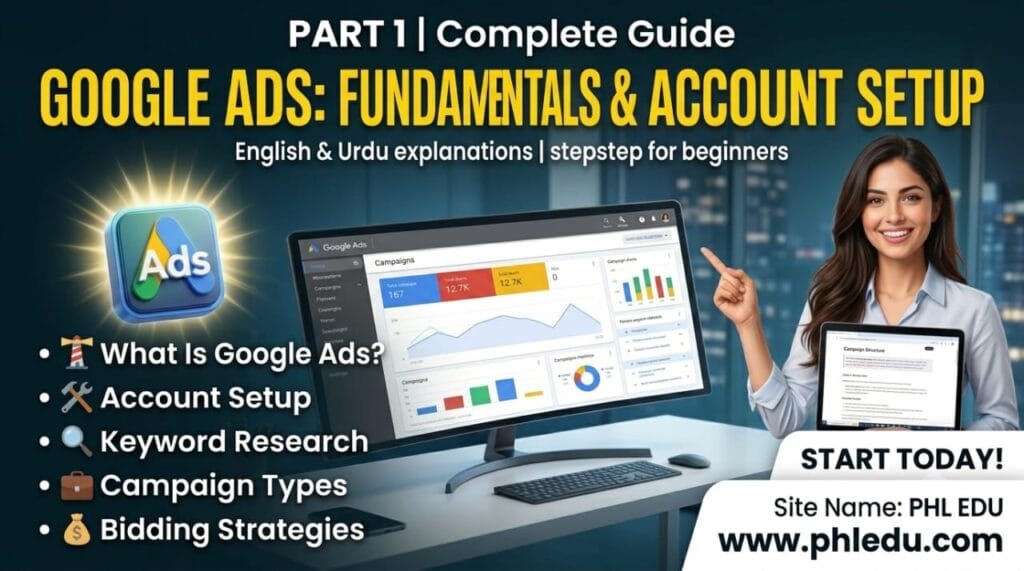
Google Ads مکمل گائیڈ اردو میں – حصہ اول: بنیادی باتیں، اکاؤنٹ سیٹ اپ اور کیمپین ٹائپس
یہ Google Ads مکمل گائیڈ اردو میں ان تمام لوگوں کے لیے ہے جو Google Ads کے بارے میں کچھ نہیں جانتے اور صفر سے شروع کر کے اسے مکمل اعتماد کے ساتھ چلانا سیکھنا چاہتے ہیں۔ اس حصہ اول میں Google Ads کیا ہے، یہ کیسے کام کرتا ہے، اکاؤنٹ کیسے بنایا جاتا ہے، کیمپین کی اقسام، کی ورڈز اور بولی (Bidding) کی مکمل تفصیل تشریح کے ساتھ دی گئی ہے۔
Google Ads کیا ہے؟
Google Ads (پہلے اسے Google AdWords کہا جاتا تھا) گوگل کا اپنا Advertising پلیٹ فارم ہے، جس کے ذریعے کاروبار Google Search کے نتائج، YouTube، Gmail، اور لاکھوں ویب سائٹس (جنہیں Google Display Network کہتے ہیں) پر اپنے اشتہارات دکھا سکتے ہیں۔ اس کا بنیادی اصول یہ ہے کہ آپ صرف اسی وقت پیسے دیتے ہیں جب کوئی صارف آپ کے اشتہار پر Click کرتا ہے یا کوئی مخصوص Action کرتا ہے — اسے Pay-Per-Click (PPC) کہا جاتا ہے۔
سادہ الفاظ میں: آپ گوگل کو بتاتے ہیں کہ آپ کا کاروبار کیا کرتا ہے، کن الفاظ (Keywords) پر آپ کا اشتہار دکھایا جائے، اور آپ ہر Click کے کتنے پیسے دینے کو تیار ہیں — اور گوگل صحیح وقت پر صحیح لوگوں کو آپ کا اشتہار دکھا دیتا ہے۔
Google Ads کیسے کام کرتا ہے؟ (Auction اور Ad Rank)
جب بھی کوئی شخص گوگل پر کچھ Search کرتا ہے، اس لمحے ایک خودکار Auction (نیلامی) ہوتی ہے جس میں تمام ایسے Advertisers شامل ہوتے ہیں جنہوں نے اسی Keyword پر Bid لگائی ہوتی ہے۔ یہ نیلامی صرف سب سے زیادہ پیسے دینے والے کو نہیں جیتاتی — گوگل ایک فارمولا استعمال کرتا ہے جسے Ad Rank کہتے ہیں:
فارمولا (آسان انداز میں):
Ad Rank = آپ کی Bid × Quality Score (+ Ad Extensions/Assets کا اثر)
یعنی اگر آپ کا اشتہار زیادہ متعلقہ (Relevant) ہے، آپ کا Landing Page اچھا ہے، اور لوگ آپ کے اشتہار پر زیادہ Click کرتے ہیں (زیادہ Click-Through Rate)، تو آپ کم بولی کے باوجود کسی ایسے Competitor سے اوپر آ سکتے ہیں جو زیادہ پیسے دے رہا ہو لیکن اس کا Quality Score کم ہو۔ یہی وجہ ہے کہ Google Ads میں صرف “زیادہ پیسے لگانا” کافی کامیابی کی ضمانت نہیں — Quality اہم ہے۔
Google Ads کیمپینز کی اقسام
Google Ads میں کئی طرح کی کیمپینز ہوتی ہیں، اور ہر ایک کا مقصد اور جگہ مختلف ہے:
کیمپین ٹائپ
کہاں نظر آتا ہے / کب استعمال کریں
Search Campaign
گوگل Search کے نتائج میں ٹیکسٹ اشتہار — جب لوگ خود کچھ Search کر رہے ہوں (زیادہ Intent، اکثر بہترین ROI)
Display Campaign
لاکھوں ویب سائٹس/ایپس پر Banner Image اشتہارات — Brand Awareness اور Retargeting کے لیے بہترین
Shopping Campaign
Product Image، قیمت اور اسٹور کا نام دکھاتا ہے — E-commerce/آن لائن اسٹورز کے لیے
Video (YouTube) Campaign
YouTube پر Video اشتہارات — Awareness اور Engagement کے لیے
Performance Max
ایک ہی کیمپین سے Search، Display، YouTube، Gmail اور Maps سب پر بیک وقت — گوگل کی AI خودکار Optimize کرتی ہے
App Campaign
موبائل ایپ کی Install یا Engagement بڑھانے کے لیے
Demand Gen
YouTube، Discover اور Gmail پر Visual/Video Content سے نئے Customers تلاش کرنے کے لیے
شروعات کرنے والوں کے لیے عام طور پر Search Campaign بہترین انتخاب ہے، کیونکہ اس میں آپ صرف ان لوگوں کو اشتہار دکھاتے ہیں جو پہلے سے ہی وہ چیز Search کر رہے ہیں جو آپ بیچ رہے ہیں — یعنی Intent پہلے سے موجود ہوتا ہے۔
اپنا پہلا Google Ads اکاؤنٹ کیسے بنائیں؟
درج ذیل مراحل پر عمل کریں:
ads.google.com پر جا کر اپنے Gmail اکاؤنٹ سے Sign Up کریں۔
اپنے کاروبار کا نام، ویب سائٹ، اور مقصد (مثلاً “زیادہ Website Visits” یا “زیادہ Calls”) منتخب کریں۔
اپنا Target Location (شہر/ملک) اور زبان منتخب کریں — صرف انہی جگہوں کو منتخب کریں جہاں آپ واقعی کاروبار کر سکتے ہیں، تاکہ بجٹ ضائع نہ ہو۔
Billing Information (Card یا مقامی Payment Method) شامل کریں۔
اپنی پہلی چھوٹی Campaign بنائیں — شروع میں کم بجٹ (مثلاً 500 سے 1000 روپے یومیہ) سے آغاز کریں تاکہ سیکھنے کا موقع ملے۔
مشورہ:
پہلی بار اکاؤنٹ بناتے وقت گوگل خود بخود “Smart Campaign” کا آسان موڈ تجویز کرتا ہے۔ سیکھنے کے لیے بہتر ہے کہ “Expert Mode” یا “Switch to Expert Mode” منتخب کریں — اس سے آپ کو Keywords، Bidding اور Targeting پر مکمل کنٹرول ملتا ہے۔
کیمپین کا ڈھانچہ (Campaign Structure) سمجھیں
Google Ads اکاؤنٹ کی ساخت ایک ترتیب میں ہوتی ہے، اور اسے سمجھنا بہت ضروری ہے:
Account — سب سے اوپر، آپ کا پورا Google Ads اکاؤنٹ (بلنگ یہاں سیٹ ہوتی ہے)
Campaign — ایک مقصد اور بجٹ کے تحت اشتہارات کا مجموعہ (مثلاً “Winter Sale Campaign”)
Ad Group — کیمپین کے اندر متعلقہ Keywords اور Ads کا چھوٹا گروپ (مثلاً “Men’s Shoes” اور “Women’s Shoes” الگ الگ Ad Groups)
Keywords & Ads — ہر Ad Group کے اندر وہ Keywords جن پر آپ کا اشتہار Trigger ہو، اور خود اشتہار کا متن
یاد رکھیں: ہر Ad Group میں ایک جیسے موضوع کے Keywords رکھیں (Tight Ad Groups)۔ اگر ایک ہی Ad Group میں “جوتے”، “کپڑے” اور “موبائل” سب اکٹھے ہوں تو آپ کا اشتہار کسی بھی ایک کے لیے مکمل متعلقہ نہیں ہوگا، جس سے Quality Score گر جاتا ہے۔
کی ورڈ ریسرچ کیسے کریں؟
Keyword Research کا مطلب ہے وہ الفاظ تلاش کرنا جو آپ کے ممکنہ گاہک Google پر Search کرتے ہیں۔ اس کے لیے مفت ٹول Google Keyword Planner استعمال کریں (یہ Google Ads اکاؤنٹ کے اندر ہی موجود ہوتا ہے)۔ اس میں آپ اپنی Website یا Product کا نام ڈالیں، اور یہ آپ کو متعلقہ Keywords، ان کی ماہانہ Search تعداد، اور تخمینی Cost-Per-Click دکھا دے گا۔
اچھے Keywords وہ ہوتے ہیں جو:
آپ کے Product/Service سے براہِ راست متعلق ہوں
معقول Search Volume رکھتے ہوں (نہ بہت کم، نہ بہت زیادہ Competitive)
واضح Buying Intent ظاہر کریں — مثلاً “بہترین جوتے خریدیں لاہور” جیسے Keywords عام “جوتے” سے زیادہ Convert ہوتے ہیں کیونکہ اس میں خریداری کا ارادہ واضح ہے
Keyword Match Types کی مکمل تفصیل
Google Ads میں چار قسم کے Match Types ہوتے ہیں، جو یہ کنٹرول کرتے ہیں کہ آپ کا اشتہار کن Search Queries پر نظر آئے:
Match Type
لکھنے کا انداز
تشریح
Broad Match
shoes for men
سب سے وسیع — ملتے جلتے، متعلقہ Searches پر بھی چل سکتا ہے۔ Traffic زیادہ لیکن Control کم۔
Phrase Match
“shoes for men”
وہی ترتیب یا اس سے ملتے جملے شامل ہوں تو چلتا ہے۔ توازن والا انتخاب۔
Exact Match
[shoes for men]
صرف وہی یا بالکل ہم معنی Search پر چلتا ہے — سب سے زیادہ Precise اور اکثر بہترین Conversion Rate۔
Negative Keyword
-free
ان الفاظ کو Block کرتا ہے جن پر آپ اشتہار نہیں دکھانا چاہتے (مثلاً “free” اگر آپ مفت پروڈکٹ نہیں دیتے)۔
اہم نکتہ:
Negative Keywords کا استعمال بہت ضروری ہے۔ ہر ہفتے اپنی “Search Terms Report” چیک کریں کہ لوگ کن الفاظ سے آپ کا اشتہار دیکھ رہے ہیں، اور غیر متعلقہ الفاظ کو Negative Keyword کے طور پر شامل کرتے رہیں — اس سے بجٹ کا ضیاع رکتا ہے۔
بجٹ اور Bidding Strategies
Google Ads میں آپ روزانہ کا اوسط بجٹ (Daily Budget) سیٹ کرتے ہیں، اور یہ طے کرتے ہیں کہ گوگل آپ کی Bids کیسے مینیج کرے:
Manual CPC — آپ خود ہر Keyword کی زیادہ سے زیادہ بولی مقرر کرتے ہیں، مکمل کنٹرول لیکن زیادہ وقت درکار۔
Maximize Clicks — گوگل خودکار طور پر آپ کے بجٹ میں زیادہ سے زیادہ Clicks لانے کی کوشش کرتا ہے۔
Target CPA (Cost Per Acquisition) — آپ ایک مقررہ قیمت بتاتے ہیں جو آپ ہر Conversion (سیل/لیڈ) کے لیے دینا چاہتے ہیں، گوگل اسی کے مطابق Bids Optimize کرتا ہے۔
Target ROAS (Return on Ad Spend) — آپ چاہتے ہیں کہ ہر روپے کے اشتہار سے مخصوص تناسب میں آمدنی آئے، گوگل اسی ہدف کے مطابق Optimize کرتا ہے (E-commerce کے لیے بہترین)۔
Maximize Conversions — گوگل بجٹ کے اندر زیادہ سے زیادہ Conversions لانے کی کوشش کرتا ہے۔
نئے Advertisers کے لیے مشورہ ہے کہ پہلے Manual CPC یا Maximize Clicks سے شروع کریں، اور جب اکاؤنٹ میں کم از کم 15 سے 30 Conversions جمع ہو جائیں، تب Target CPA یا Target ROAS کی طرف جائیں — کیونکہ گوگل کی AI کو صحیح فیصلے کرنے کے لیے ڈیٹا درکار ہوتا ہے۔
یہ گائیڈ کا حصہ اول تھا۔ ایڈ کاپی لکھنے، Quality Score کی گہرائی، کنورژن ٹریکنگ، ری مارکیٹنگ اور آپٹیمائزیشن کے لیے حصہ دوم پڑھیں۔
PHL EDU WITH AI: Empowering your future with free education, AI tools, LMS, and digital skill solutions.
اکثر پوچھے گئے سوالات
Google Ads شروع کرنے کے لیے کم از کم کتنا بجٹ چاہیے؟
کوئی مقررہ کم از کم رقم نہیں، لیکن سیکھنے اور ڈیٹا اکٹھا کرنے کے لیے روزانہ 500 سے 1000 روپے کے بجٹ سے آغاز کرنا مناسب ہے۔ بجٹ بڑھانے سے پہلے چند ہفتے نتائج دیکھیں۔
Google Ads اور SEO میں کیا فرق ہے؟
SEO میں آپ مفت (Organic) نتائج میں نظر آنے کی کوشش کرتے ہیں جس میں وقت لگتا ہے، جبکہ Google Ads میں آپ پیسے دے کر فوری طور پر Search نتائج کے سب سے اوپر نظر آ سکتے ہیں۔ دونوں کا ایک ساتھ استعمال بہترین نتیجہ دیتا ہے۔
Quality Score کیا ہوتا ہے اور یہ کیوں اہم ہے؟
Quality Score 1 سے 10 کا ایک اسکور ہے جو گوگل آپ کے Keyword، Ad اور Landing Page کی مطابقت (Relevance) کی بنیاد پر دیتا ہے۔ زیادہ Quality Score سے آپ کم بولی میں بہتر پوزیشن حاصل کر سکتے ہیں اور فی Click قیمت کم ہو جاتی ہے۔
کیا مجھے Search یا Display کیمپین سے شروع کرنا چاہیے؟
زیادہ تر نئے کاروباروں کے لیے Search Campaign بہتر آغاز ہے کیونکہ اس میں لوگ پہلے سے آپ کی Product/Service تلاش کر رہے ہوتے ہیں۔ Display بعد میں Brand Awareness اور Retargeting کے لیے شامل کریں۔
Negative Keywords کیوں ضروری ہیں؟
Negative Keywords آپ کے اشتہار کو غیر متعلقہ Searches پر نظر آنے سے روکتے ہیں، جس سے بجٹ صرف اصل ممکنہ گاہکوں پر خرچ ہوتا ہے اور Click-Through Rate بھی بہتر ہوتی ہے۔
کیا Google Ads چھوٹے کاروبار کے لیے فائدہ مند ہے؟
جی ہاں، چھوٹے بجٹ کے ساتھ بھی Google Ads مؤثر ہو سکتا ہے اگر Targeting درست ہو، Keywords مخصوص (Specific) ہوں اور Landing Page واضح Call-to-Action کے ساتھ ہو۔
PHL EDU Eco System
Access more free Online AI & Web Tools by PHL EDU WITH AI:
Google Ads Complete Guide – Part 1: Fundamentals, Account Setup & Campaign Types
This complete Google Ads guide is for absolute beginners who know nothing about Google Ads and want to learn how to run it confidently from zero. This Part 1 covers what Google Ads is, how it works, how to set up an account, campaign types, keywords, and bidding — explained in full detail.
What Is Google Ads?
Google Ads (formerly Google AdWords) is Google’s own advertising platform, letting businesses show ads on Google Search results, YouTube, Gmail, and millions of websites (known as the Google Display Network). The core principle is that you only pay when someone clicks your ad or takes a specific action — this is called Pay-Per-Click (PPC).
In simple terms: you tell Google what your business does, which keywords should trigger your ad, and how much you’re willing to pay per click — and Google shows your ad to the right people at the right time.
How Google Ads Works (Auction & Ad Rank)
Every time someone searches on Google, an automatic auction happens instantly among all advertisers bidding on that keyword. This auction isn’t won by the highest bidder alone — Google uses a formula called Ad Rank:
Simplified formula:
Ad Rank = Your Bid × Quality Score (+ impact of ad extensions/assets)
This means that if your ad is highly relevant, your landing page is good, and people click your ad frequently (high click-through rate), you can outrank a competitor who bids higher but has a lower Quality Score. That’s why simply spending more money isn’t enough in Google Ads — quality matters just as much.
Types of Google Ads Campaigns
Google Ads offers several campaign types, each with a different purpose and placement:
Campaign Type
Where it appears / When to use it
Search Campaign
Text ads in Google Search results — shown when people actively search (high intent, often best ROI)
Display Campaign
Banner/image ads across millions of websites and apps — great for brand awareness and retargeting
Shopping Campaign
Shows product image, price, and store name — ideal for e-commerce stores
Video (YouTube) Campaign
Video ads on YouTube — good for awareness and engagement
Performance Max
One campaign reaches Search, Display, YouTube, Gmail, and Maps simultaneously — Google’s AI optimizes automatically
App Campaign
Drives app installs or in-app engagement
Demand Gen
Visual/video content on YouTube, Discover, and Gmail to find new customers
For beginners, a Search Campaign is usually the best choice, since you’re only showing ads to people already searching for exactly what you’re selling — intent already exists.
How to Set Up Your First Google Ads Account
Follow these steps:
Go to ads.google.com and sign up using your Gmail account.
Enter your business name, website, and goal (e.g., “more website visits” or “more calls”).
Select your target location (city/country) and language — only choose places where you can genuinely do business, so budget isn’t wasted.
Add billing information (card or a local payment method).
Build your first small campaign — start with a low budget (e.g., 500–1000 rupees/day) to give yourself room to learn.
Tip:
When setting up an account for the first time, Google often suggests the simplified “Smart Campaign” mode. For learning purposes, it’s better to select “Expert Mode” (Switch to Expert Mode) — this gives you full control over keywords, bidding, and targeting.
Understanding Campaign Structure
A Google Ads account follows a clear hierarchy, and understanding it is essential:
Account — the top level, your entire Google Ads account (billing is set here)
Campaign — a group of ads under one goal and budget (e.g., “Winter Sale Campaign”)
Ad Group — a smaller group of related keywords and ads inside a campaign (e.g., “Men’s Shoes” and “Women’s Shoes” as separate ad groups)
Keywords & Ads — inside each ad group, the keywords that trigger your ad, and the ad text itself
Remember: keep each ad group focused on a single tight theme. If “shoes,” “clothes,” and “phones” are all mixed into one ad group, your ad won’t be fully relevant to any of them — and your Quality Score will suffer.
How to Do Keyword Research
Keyword research means finding the words your potential customers actually search on Google. Use the free Google Keyword Planner tool (built right into your Google Ads account). Enter your website or product name, and it will show related keywords, their monthly search volume, and an estimated cost-per-click.
Good keywords are ones that:
Are directly relevant to your product/service
Have a reasonable search volume (not too low, not overly competitive)
Show clear buying intent — e.g., “buy best shoes in Lahore” converts better than a generic keyword like “shoes” because the purchase intent is explicit
Keyword Match Types Explained
Google Ads has four match types, controlling which search queries trigger your ad:
Match Type
How it’s written
Explanation
Broad Match
shoes for men
Widest reach — can also trigger on related or similar searches. More traffic, less control.
Phrase Match
“shoes for men”
Triggers for searches that include that phrase or close variations. A balanced choice.
Exact Match
[shoes for men]
Triggers only for that exact search or very close meaning — most precise, often the best conversion rate.
Negative Keyword
-free
Blocks your ad from showing for specific terms (e.g., “free” if you don’t offer a free product).
Important:
Using negative keywords is essential. Check your “Search Terms Report” weekly to see exactly what people typed to trigger your ad, and keep adding irrelevant terms as negative keywords — this prevents wasted budget.
Budget and Bidding Strategies
In Google Ads, you set an average daily budget and decide how Google should manage your bids:
Manual CPC — you set the maximum bid for each keyword yourself; full control but more time-consuming.
Maximize Clicks — Google automatically tries to bring you the most clicks within your budget.
Target CPA (Cost Per Acquisition) — you set a target cost per conversion (sale/lead), and Google optimizes bids to hit that target.
Target ROAS (Return on Ad Spend) — you set a target revenue return per rupee spent, and Google optimizes toward it (great for e-commerce).
Maximize Conversions — Google tries to get you the most conversions possible within your budget.
New advertisers should start with Manual CPC or Maximize Clicks, and switch to Target CPA or Target ROAS once the account has at least 15–30 conversions of data — Google’s AI needs that data to make good automated decisions.
This was Part 1 of the guide. For writing ad copy, a deeper look at Quality Score, conversion tracking, remarketing, and optimization, read Part 2.
PHL EDU WITH AI: Empowering your future with free education, AI tools, LMS, and digital skill solutions.
Frequently Asked Questions
What’s the minimum budget needed to start with Google Ads?
There’s no fixed minimum, but starting with 500–1000 rupees/day is reasonable for learning and gathering data. Watch results for a few weeks before increasing budget.
What’s the difference between Google Ads and SEO?
SEO gets you into free (organic) results over time, while Google Ads lets you pay to appear at the top of search results instantly. Using both together usually gives the best results.
What is Quality Score and why does it matter?
Quality Score is a 1–10 rating Google gives based on how relevant your keyword, ad, and landing page are to each other. A higher score can get you a better position at a lower cost-per-click.
Should I start with Search or Display campaigns?
For most new businesses, a Search Campaign is the better starting point since people are already looking for your product/service. Add Display later for brand awareness and retargeting.
Why are negative keywords important?
Negative keywords stop your ad from showing on irrelevant searches, so your budget is spent only on real potential customers — and your click-through rate improves too.
Is Google Ads worth it for small businesses?
Yes — even with a small budget, Google Ads can work well if targeting is accurate, keywords are specific, and the landing page has a clear call-to-action.
PHL EDU Eco System
Access more free Online AI & Web Tools by PHL EDU WITH AI: